

PRICE LIST & SUPPLIER PRICES
A price list linked to recipes, to track your actual costs.
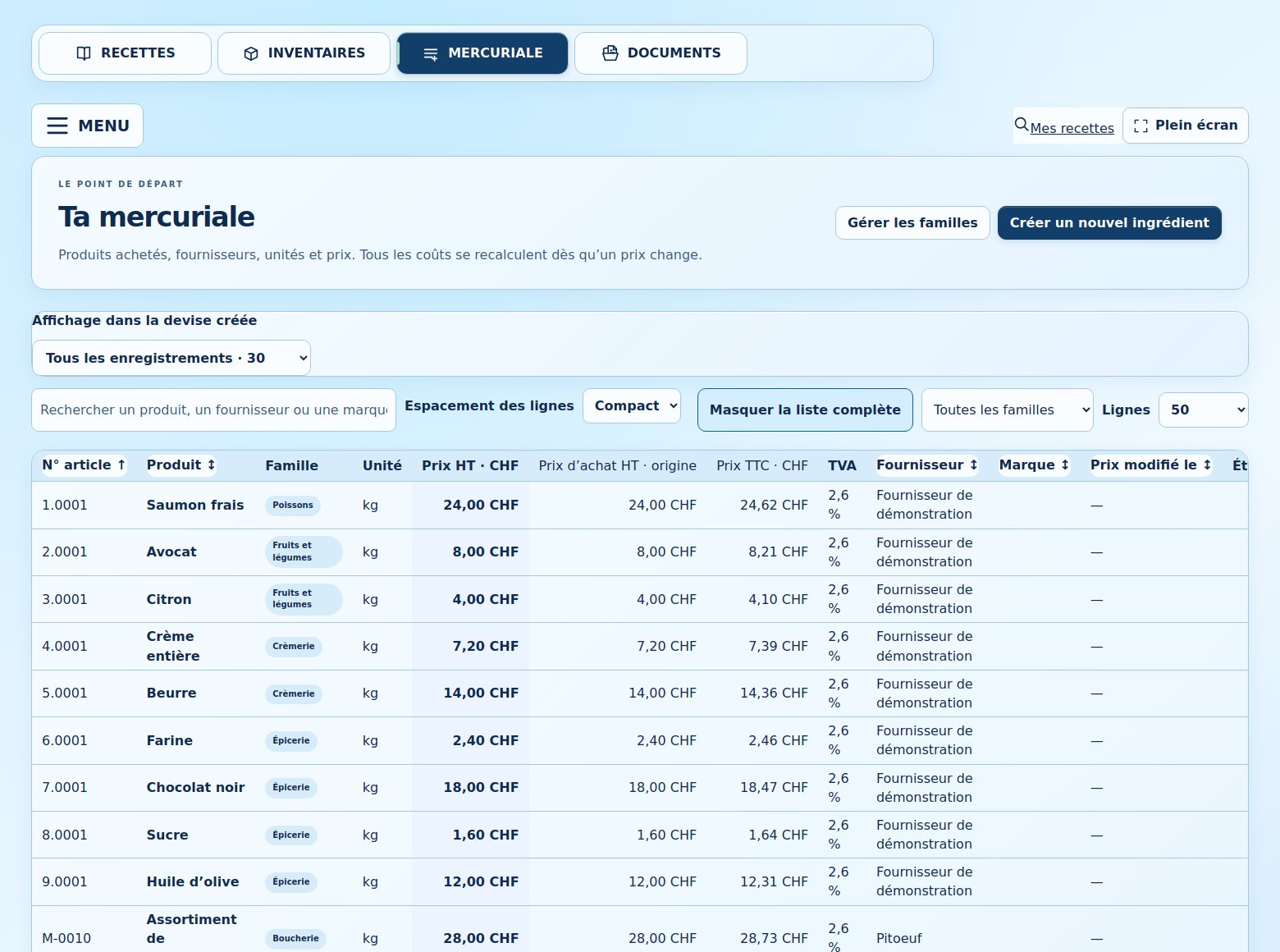
A restaurant price list brings together your products and purchase prices. In COSTING, it is the starting point for recipe costing: units, suppliers and prices are linked to the items used in your preparations and dishes.
No bank card needed for the trial · Limits and plans shown on the home page
What is the difference between the Register and the Price List?
Items from scans and imports first go into the Register, which keeps their history. You then select the references to use in the Price List. This keeps a record of received prices while organising the products actually used in your calculations.
Make prices comparable
A price per case cannot be compared directly with a price per kilogram. Check packaging, contained quantity, currency and VAT before using a price. COSTING’s units and conversions link the quantity bought to the quantity used in the recipe. A price without a reliable unit still needs completing.
Find an item and update its price
Group products by category and add useful supplier information. Search and filters help you find references. When a price changes, update the corresponding item: its links to preparations and recipe sheets allow the affected costs to be recalculated.
How do I get started with COSTING?
Keep the source
Find scanned references in the Register and check their source.
Choose products
Select the items your kitchen needs for the Price List.
Link to recipes
Check units and use the products in your preparations and dishes.
A PRACTICAL EXAMPLE
Example: a purchase price increase changes a portion’s cost
A recipe uses 200 g of a product bought at €8 per kilogram excluding VAT. This line costs €1.60 excluding VAT. If the price rises to €10 per kilogram excluding VAT, it costs €2 excluding VAT: €0.40 more per portion. Linking the recipe to its Price List product shows this effect without manually copying every price.
Fictional educational example, with unchanged quantities and yield. Check packaging and units before comparing the new price.
Practical questions
Does the Price List replace the Register?
No. The Register keeps the history of imported items and prices. The Price List contains the references selected for your products and kitchen calculations.
Are prices including and excluding VAT available?
COSTING supports prices including and excluding VAT, VAT rates and currencies. Check that these details are consistent before use.
Can I try it with my own products?
Yes. The six-month free trial includes up to 100 products in your Price List, with the trial limits shown on the home page.
Try COSTING with your own recipes and products.
Discover your culinary management workspace, then choose the plan that suits your kitchen.